
The Philips DreamStation 2 is a compact auto CPAP machine built for home sleep apnea therapy. It pairs a small footprint with a built in humidifier and a colour touchscreen. For many users, it is a simple and comfortable way to start or continue therapy. This guide covers what the DreamStation 2 offers, who it suits, and how to care for it.
What the DreamStation 2 Is Designed For
The DreamStation 2 treats obstructive sleep apnea by delivering pressurized air through a mask while you sleep. The auto CPAP version adjusts pressure through the night within the range your doctor sets. As a result, you receive more pressure when your airway needs it and less when it does not.
In addition, the machine is designed to sit neatly on a nightstand. Its compact shape suits smaller bedrooms and shared spaces.
Key Features of the DreamStation 2 Auto CPAP
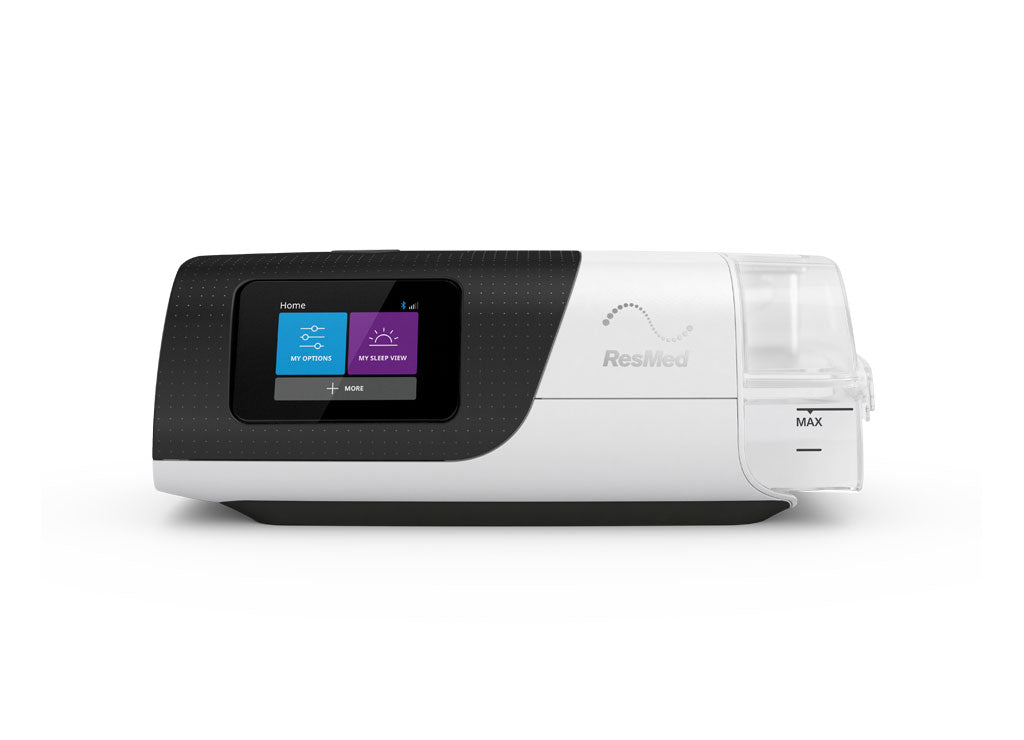
The DreamStation 2 Auto CPAP Advanced model includes an integrated heated humidifier and a colour touchscreen. You can adjust comfort settings, such as humidity and ramp, directly on the screen. Moreover, it connects to a companion app so you can review your nightly usage and mask fit.
You can view the DreamStation 2 AutoCPAP Advanced with humidifier for full package details.
Who the DreamStation 2 Suits Best
The DreamStation 2 works well for people who want a small, modern machine with straightforward controls. It also suits users who value humidification, since dry mouth and nasal dryness are common in the early weeks of therapy.
However, patients who need two pressure levels require a bilevel machine instead. Your prescription will make this clear, and our team can help you confirm it.
Setting Up Your DreamStation 2
First, place the machine on a flat, stable surface below the level of your bed. Next, fill the water tank with distilled water up to the fill line. Then connect your tubing and mask, and turn the machine on.
After that, check your mask seal while lying in your usual sleep position. Small headgear adjustments often fix leaks. Most people feel comfortable with the setup after a few nights.
Comfort Settings Worth Knowing
Two settings make a big difference for new users. The ramp feature starts at a lower pressure and builds up gradually as you fall asleep. Meanwhile, humidity settings help prevent dry mouth and congestion.
If you notice water in your tubing, the room may be too cool for your humidity level. In that case, lowering the humidity slightly or using a heated hose usually helps.
Heated Tubing and Humidifier Care
Heated tubing keeps the air warm on its way to your mask, which reduces condensation. If you need a replacement, the heated hose for DreamStation 2 is designed for this machine.
Empty and rinse the water tank every morning and let it air dry. Refill it with fresh distilled water each night. Weekly, wash the tank with mild soap and warm water, then rinse it well.
Replacement Filters and Parts
The DreamStation 2 uses ultra fine disposable filters that trap fine dust and allergens. Replace them regularly, and sooner if you have pets or a dusty home. You can order DreamStation 2 ultra fine filters in multipacks.
Beyond filters, keep an eye on your mask cushion, headgear and tubing. Replace any part that cracks, stretches or stops sealing well.
Travelling With Your DreamStation 2
The DreamStation 2 is compact enough to pack for most trips. Bring it in your carry on so it stays safe. In addition, pack a copy of your prescription and use distilled water at your destination.
For frequent travel, a dedicated travel machine may be lighter. That said, many users happily travel with their DreamStation 2.
Troubleshooting Common Concerns
If your mask feels leaky, refit the cushion and adjust the headgear evenly. If the air feels dry, raise the humidity by one step. If you wake with water in the mask, lower humidity or use heated tubing.
For ongoing discomfort, speak with your sleep clinic. Small setting changes can make therapy much easier to maintain.
Reading Your Therapy Data
The DreamStation 2 records how long you use therapy each night and how well your mask seals. You can review this data in the companion app each morning. As a result, you can spot patterns early, such as leaks after a certain time of night.
In addition, your sleep clinic may ask for this data at follow up visits. Sharing it helps them fine tune your settings. For example, a high leak reading often points to a mask fit issue rather than a machine problem.
If your numbers look unusual for several nights in a row, contact your clinic. Small changes, such as a new cushion size or a humidity adjustment, often bring results back on track.
Frequently Asked Questions
Does the DreamStation 2 come with a humidifier?
The DreamStation 2 Auto CPAP Advanced includes an integrated heated humidifier. Check the product listing for exactly what is in the box.
Can I use any mask with the DreamStation 2?
Yes. The DreamStation 2 works with most standard CPAP masks from different brands.
How often should I replace DreamStation 2 filters?
Disposable filters usually need replacing every few weeks. Replace them sooner if they look discoloured or dirty.
Should I use tap water in the humidifier?
No. Use distilled water to reduce mineral buildup in the tank.
Do I need a prescription for the DreamStation 2?
Yes. A valid prescription is required to buy a CPAP machine in Canada.
Ready to compare? Explore CPAP machines or shop Respironics replacement filters, and contact our team with any questions before you order.